How to use it in Figma, even if you have never used Figma
Four steps. You do not need to draw anything, and a free Figma account is enough (Pro components need a ProFigma Pro plan).
Fill
Export
- Press Copy to FigmaClick the button on this page. The design is copied, like text you copy with Ctrl + C.
- Paste it in FigmaOpen Figma, open any file and press Ctrl + V (Cmd + V on Mac). You get real, editable layers.
- Make it yoursDouble-click a text to type your own words. Click a shape and change its color under Fill. Drag your own photo onto an image box.
- Export itClick the design. In the right panel, scroll to Export, choose PNG, JPG, SVG or PDF, then click Export.
Tip: install the free Google Fonts used in the design (the name shows when you click a text) so the text looks the same on your computer.
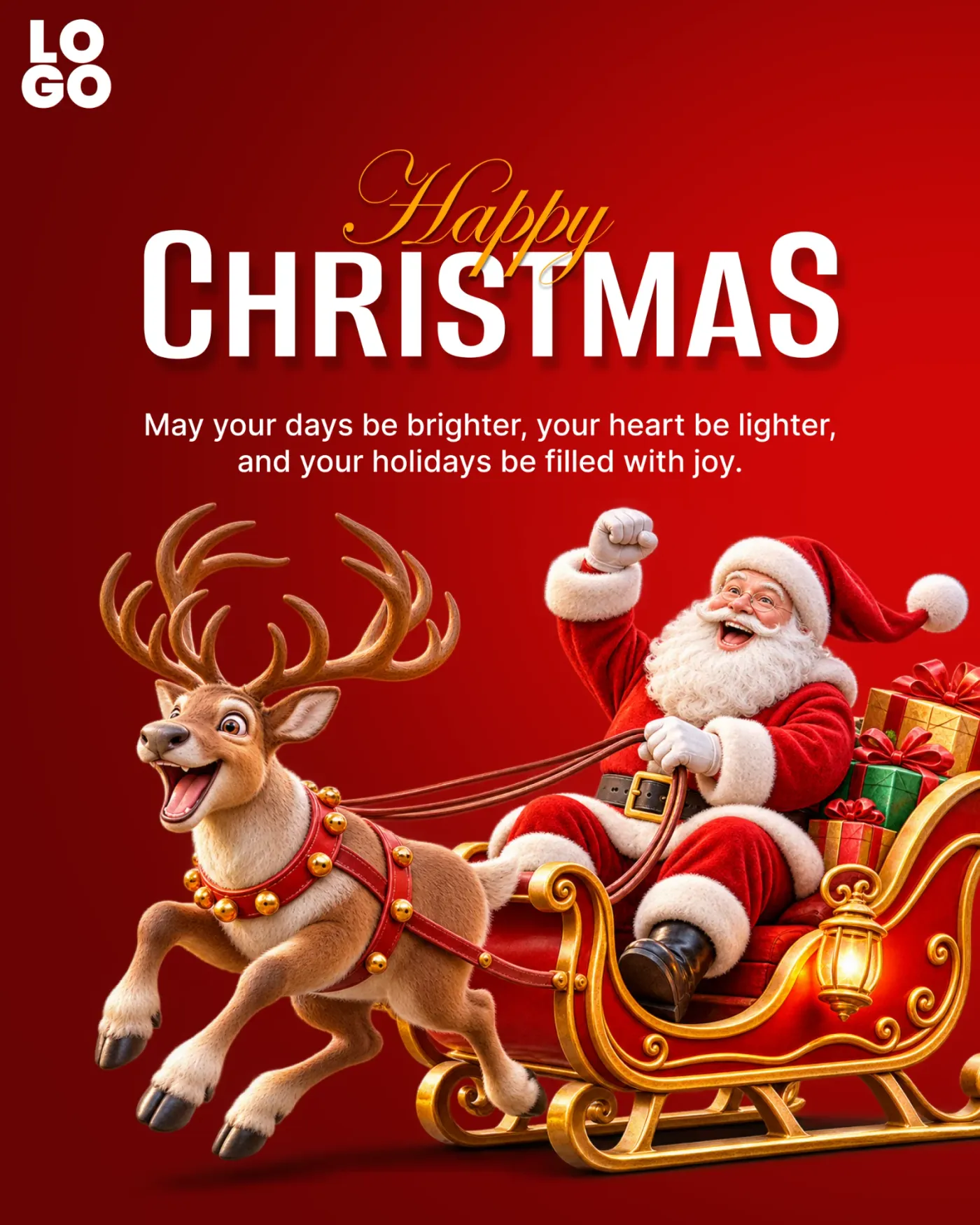
Christmas Greeting Poster is a festive holiday graphic for designers, social media managers, and businesses creating Christmas greetings. It features Santa Claus riding a decorative golden sleigh pulled by a cheerful reindeer, set against a rich red background.
The design uses large white typography for the main Christmas message, elegant gold script for the word "Happy", and a short holiday greeting below. It's suitable for a Christmas Instagram post, Facebook greeting, or seasonal business announcement.
What's included in the design
Christmas headline: Large white CHRISTMAS typography with a shadow effect.
Decorative lettering: Gold script typography for the word "Happy".
Santa Claus illustration: Santa wearing his traditional red suit, raising one hand while holding the sleigh reins.
Reindeer artwork: A cheerful brown reindeer with detailed golden antlers and a decorative red harness.
Golden sleigh: An ornate sleigh with gold detailing, Christmas gifts, and a hanging lantern.
Background and branding: Red gradient background, a white stacked logo area in the top-left corner, and a two-line Christmas greeting.
How to use it
Click Copy to Figma to copy the design.
Open your Figma file and paste the design using Ctrl + V.
The design uses fully editable layers, so you can adjust the text, colors, positioning, and other available elements.
Update the greeting to match your project or client's requirements.
Use the finished Christmas Greeting Poster in your seasonal social media content or other holiday design projects.
The Christmas Greeting Poster gives you a ready-made visual starting point for holiday content. You can use its typography, illustrations, and layout as a reference when creating other Christmas graphics.