How to use it in Figma, even if you have never used Figma
Four steps. You do not need to draw anything, and a free Figma account is enough (Pro components need a ProFigma Pro plan).
Fill
Export
- Press Copy to FigmaClick the button on this page. The design is copied, like text you copy with Ctrl + C.
- Paste it in FigmaOpen Figma, open any file and press Ctrl + V (Cmd + V on Mac). You get real, editable layers.
- Make it yoursDouble-click a text to type your own words. Click a shape and change its color under Fill. Drag your own photo onto an image box.
- Export itClick the design. In the right panel, scroll to Export, choose PNG, JPG, SVG or PDF, then click Export.
Tip: install the free Google Fonts used in the design (the name shows when you click a text) so the text looks the same on your computer.
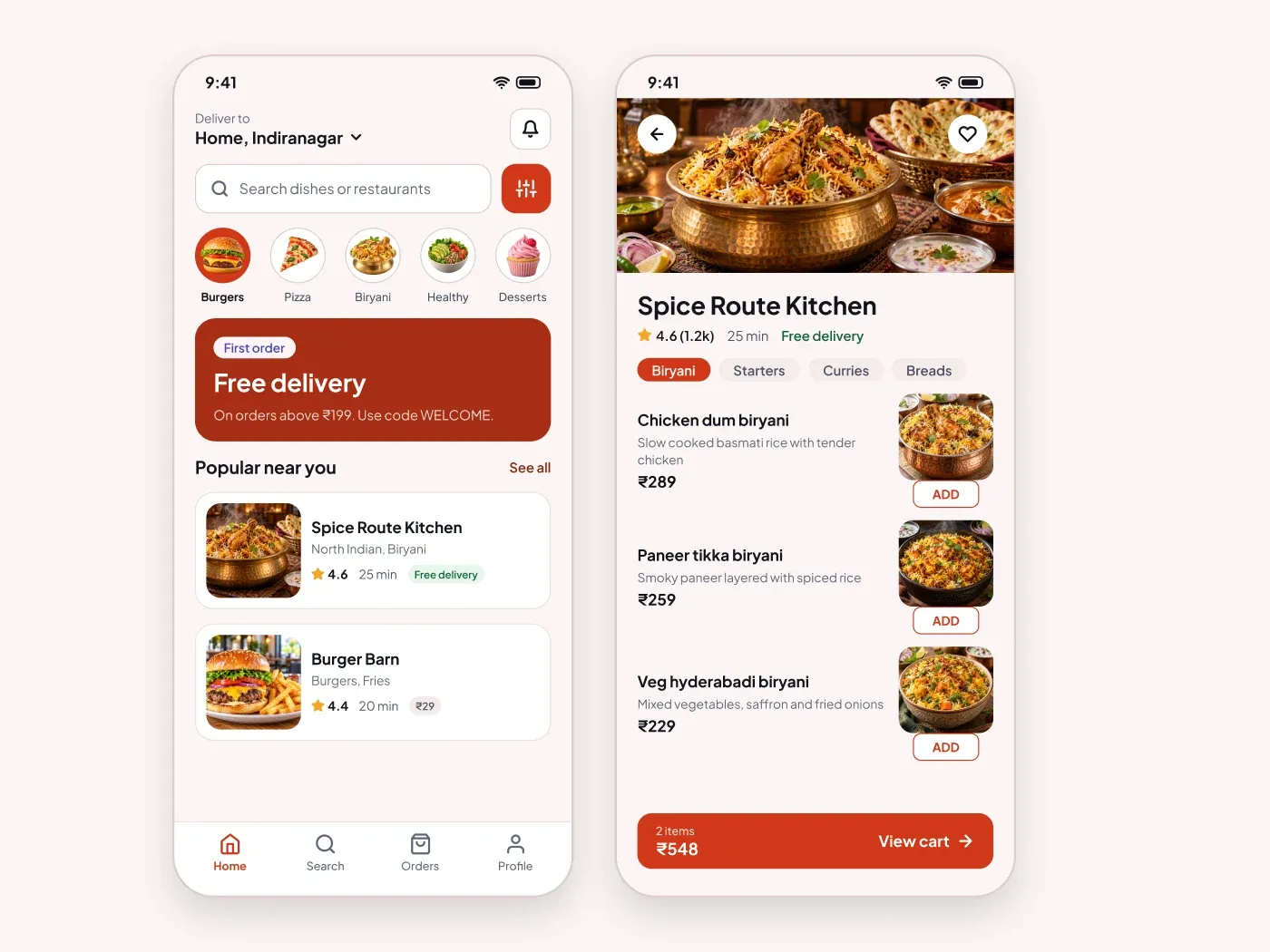
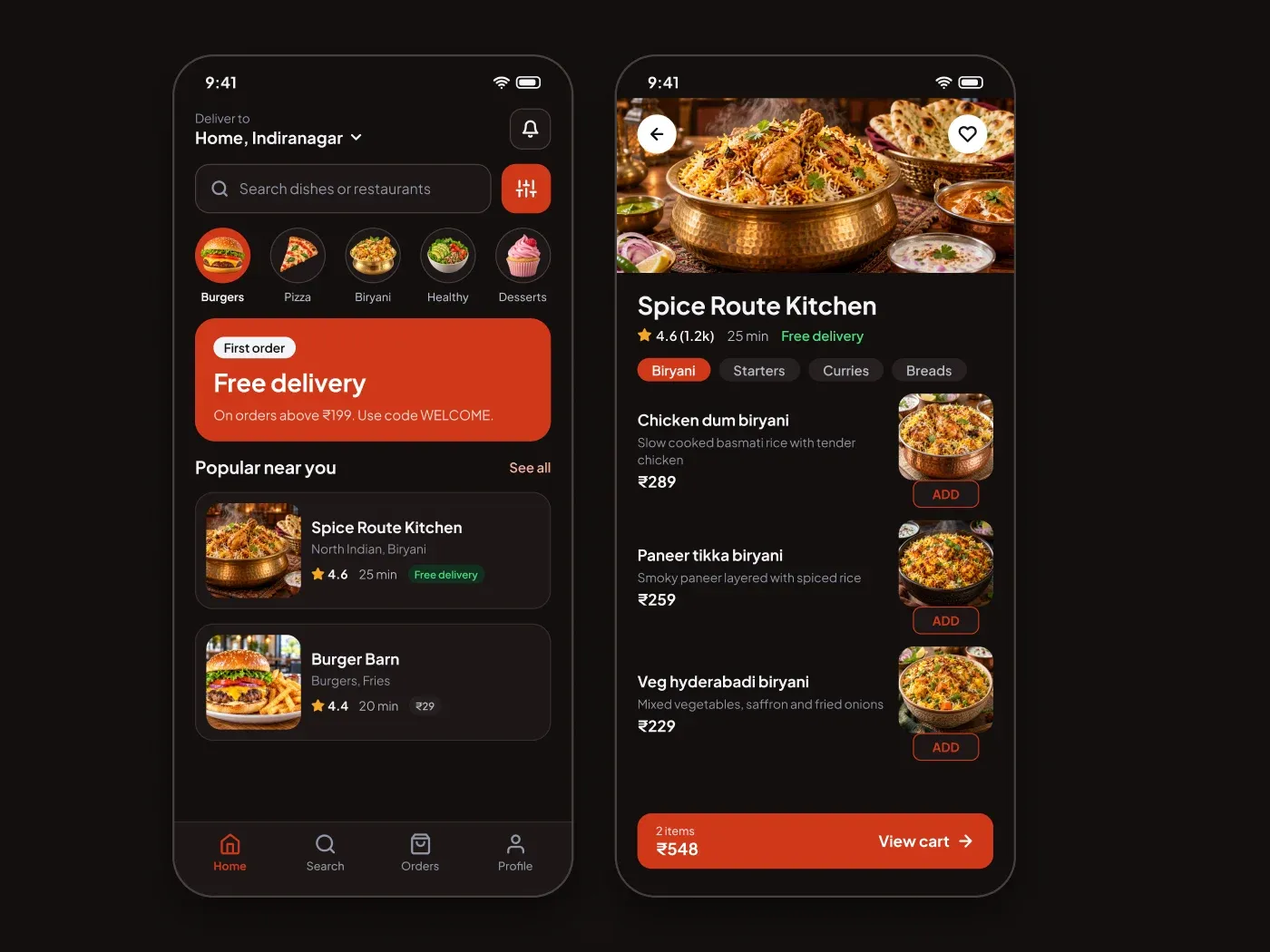
The dark food delivery app home screen comes with a soft charcoal page and bright accents. Get people ordering fast. This food delivery app home screen has search, food categories, a promo and restaurants, plus a menu screen. The dark version makes food photos stand out.
What is included
- A location bar, search and filter button
- Round category buttons and a promo banner
- Restaurant cards with rating and time
- A menu screen with dishes and a cart bar
Where to use it
Use it for a restaurant, a cloud kitchen or a grocery app. Replace the pictures and dishes.
Design notes
The phone frame is 390 by 820 px. Category buttons are 54 px circles with a 30 px photo, the promo card has a 20 px radius, and restaurant cards use a 92 px image. In the menu screen, dish images are 92 by 84 px, the ADD button is outlined and the cart bar is 54 px tall.
This dark version uses an accent of #d1381a on a page of #130f0e, with cards in #1d1716 and a soft accent fill of #402621. The light version of this design is a separate listing: Premium Food Delivery App Home Screen UI for Figma.
Questions
How do I add my own food photos?
Select each green frame and fill it with an image. Square photos work best for the categories and dishes, and a wide one for the cover.
How do I show an empty cart?
Hide the cart bar. When the cart has items, show it with the item count and the total.
Is there a light version?
Yes. Premium Food Delivery App Home Screen UI for Figma has the same layout on a light page.
How to use it
Copy the component with the copy button and paste it into Figma with Ctrl+V or Cmd+V. The text uses Plus Jakarta Sans, which is free on Google Fonts.