

How to use it in Figma, even if you have never used Figma
Four steps. You do not need to draw anything, and a free Figma account is enough (Pro components need a ProFigma Pro plan).
Fill
Export
- Press Copy to FigmaClick the button on this page. The design is copied, like text you copy with Ctrl + C.
- Paste it in FigmaOpen Figma, open any file and press Ctrl + V (Cmd + V on Mac). You get real, editable layers.
- Make it yoursDouble-click a text to type your own words. Click a shape and change its color under Fill. Drag your own photo onto an image box.
- Export itClick the design. In the right panel, scroll to Export, choose PNG, JPG, SVG or PDF, then click Export.
Tip: install the free Google Fonts used in the design (the name shows when you click a text) so the text looks the same on your computer.
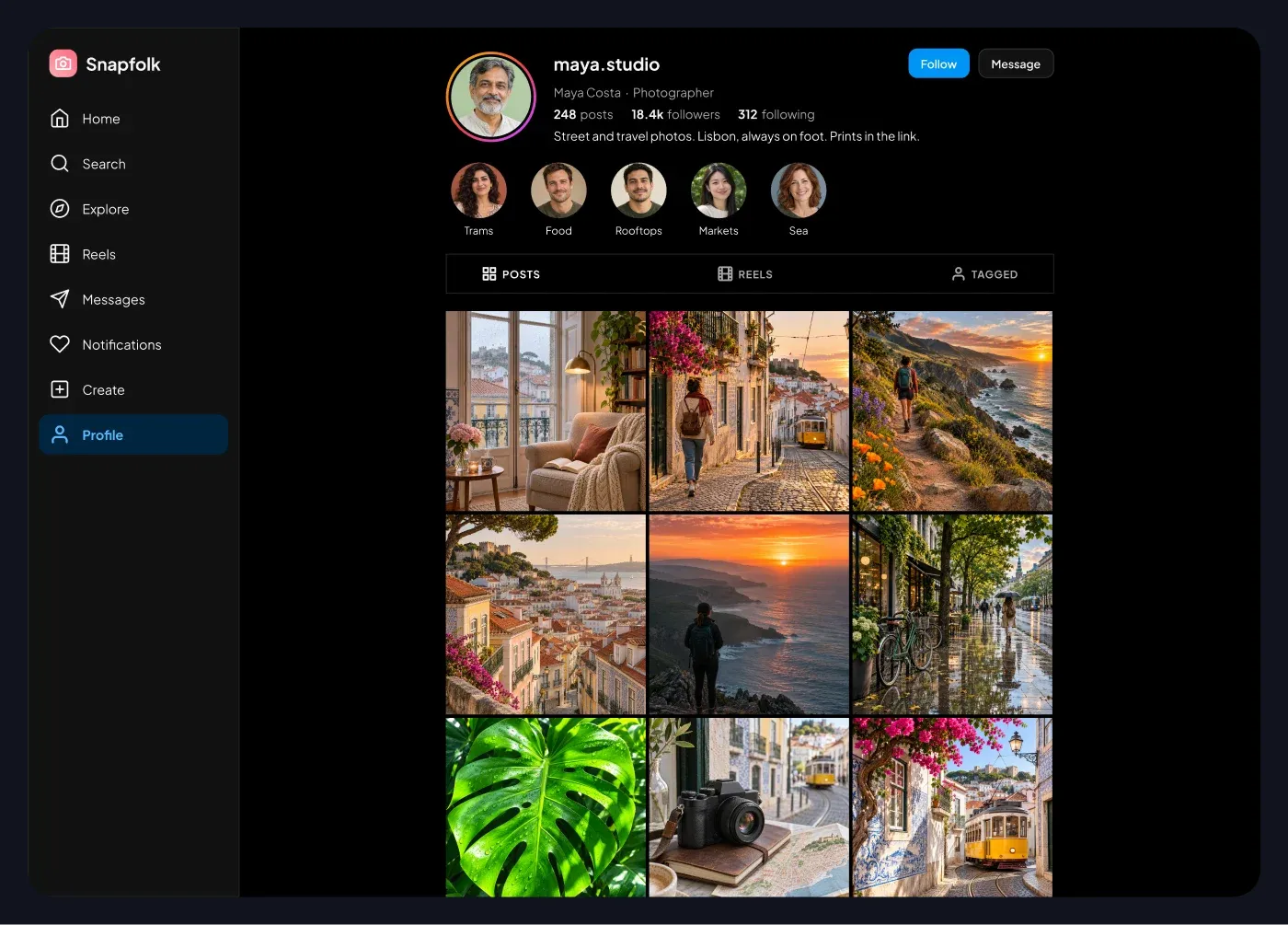
This social profile grid web UI for Figma gives you a creator profile with a header, story highlights, a tab row and a three column photo grid.
What is included
- A profile header with avatar ring, name, role, post, follower and following counts
- A short bio and Follow and Message buttons
- A row of round story highlights with names
- Posts, Reels and Tagged tabs with an active state
- A grid of square photo tiles with thin gaps
- The web layout is 1440 px wide with a side menu and a content area that fits a 1000 px high screen
Where to use it
Use it for social apps, portfolio tools, creator pages and any product that shows a person and their photos. It is made for desktop web apps and landing page demos.
Design notes
Counts are bold and labels are light, which makes the numbers easy to scan. The grid uses equal square tiles, so replacing the photos never breaks the layout. It uses a dark theme: near-black cards, light text and the same pink and blue accent, so it reads like a real app screen rather than a wireframe.
Built for editing
Spacing follows a 4 point scale and layers have clear names, so developers can find what they need. Every color is a fill you can change in the fill panel, and the whole screen uses auto layout. Text pairs stay above 4.5 to 1 contrast, except white text that sits on a photo.
How to use it
Copy the component with the copy button and paste it into Figma with Ctrl+V or Cmd+V. This is the Dark version. Photo spots are rectangles with a real sample picture already placed as a fill, so you can swap in your own picture in one click. Install the free Plus Jakarta Sans font first. All names, handles and numbers are sample content.


