How to use it in Figma, even if you have never used Figma
Four steps. You do not need to draw anything, and a free Figma account is enough (Pro components need a ProFigma Pro plan).
Fill
Export
- Press Copy to FigmaClick the button on this page. The design is copied, like text you copy with Ctrl + C.
- Paste it in FigmaOpen Figma, open any file and press Ctrl + V (Cmd + V on Mac). You get real, editable layers.
- Make it yoursDouble-click a text to type your own words. Click a shape and change its color under Fill. Drag your own photo onto an image box.
- Export itClick the design. In the right panel, scroll to Export, choose PNG, JPG, SVG or PDF, then click Export.
Tip: install the free Google Fonts used in the design (the name shows when you click a text) so the text looks the same on your computer.
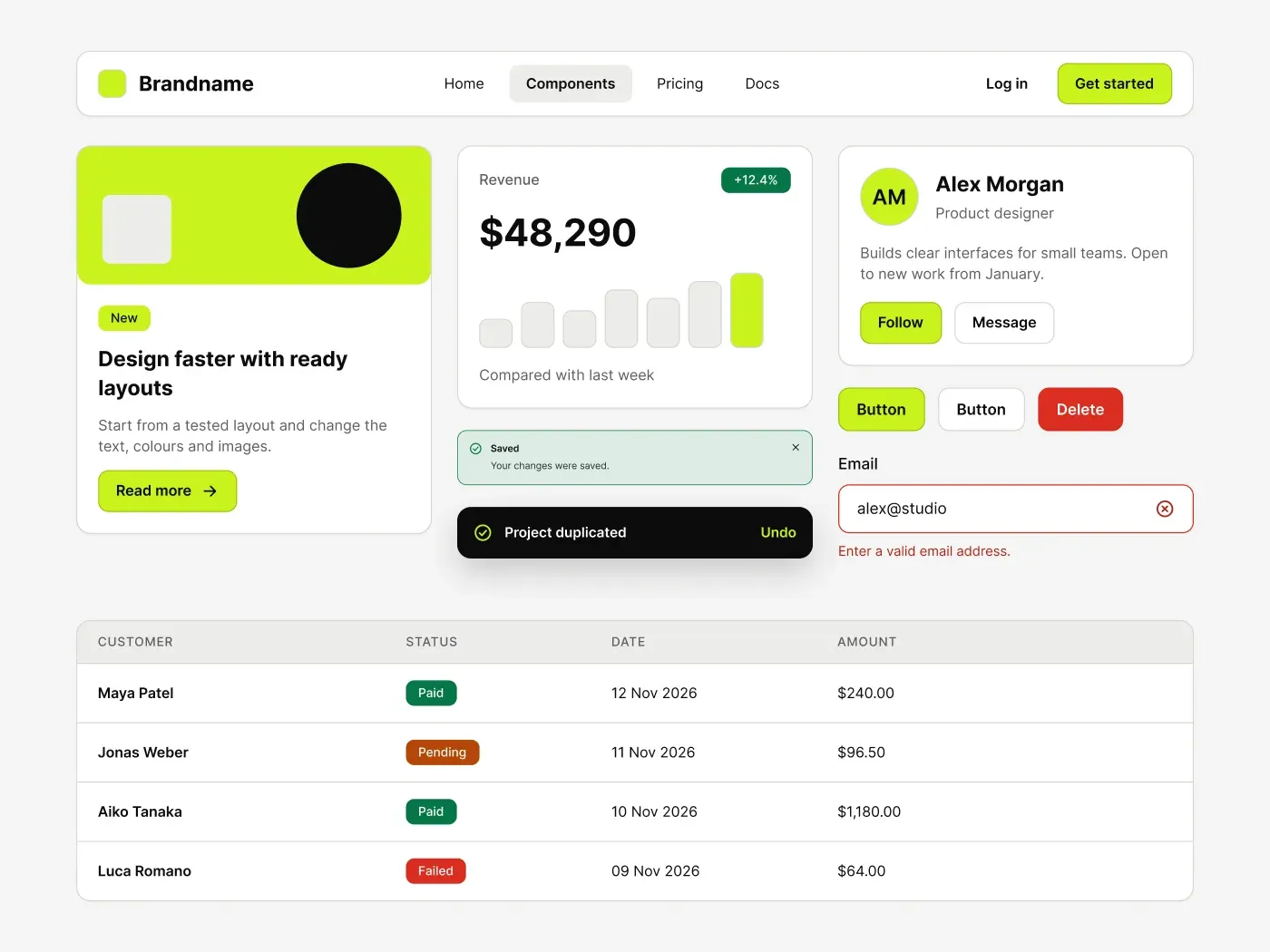
This monochrome ui kit keeps everything black, white and grey, then adds one electric lime accent for the main action. Dense screens get a clear focus without extra color.
What is included
- Lime primary buttons with secondary, ghost and danger variants in five states and three sizes
- Text fields, textarea, select menu, checkbox, radio, toggle and slider
- Content, stat and profile cards, four alerts, a black toast, a modal and tooltips
- A data table with status badges and a command palette with key hints
- Navbar, tabs, breadcrumb, pagination, avatars and an accordion
Where to use it
Use it for dashboards, developer tools, analytics and finance products where one clear action matters more than decoration.
Design notes
Primary buttons use lime #C8F31D with black text, which has very high contrast. Corners are 10 px on controls and 14 px on cards. Status colors stay muted: red #D92D20, green #067647 and amber #B54708. Info badges are black, so the lime is the only bright color on the page.
Built for editing
Spacing sits on a 4 point grid and layers have clear names. Fonts are free on Google Fonts (Inter) and every color is a fill you can change in the fill panel. Text sizes stay at 12, 14, 16, 20 and 36 px, so the scale is easy to follow.
How to use it
Copy the kit with the copy button and paste it into Figma with Ctrl+V or Cmd+V. The layers keep their auto layout, so you can edit text, colors and spacing. Install the free Google Fonts first so the text looks the same.