How to use it in Figma, even if you have never used Figma
Four steps. You do not need to draw anything, and a free Figma account is enough (Pro components need a ProFigma Pro plan).
Fill
Export
- Press Copy to FigmaClick the button on this page. The design is copied, like text you copy with Ctrl + C.
- Paste it in FigmaOpen Figma, open any file and press Ctrl + V (Cmd + V on Mac). You get real, editable layers.
- Make it yoursDouble-click a text to type your own words. Click a shape and change its color under Fill. Drag your own photo onto an image box.
- Export itClick the design. In the right panel, scroll to Export, choose PNG, JPG, SVG or PDF, then click Export.
Tip: install the free Google Fonts used in the design (the name shows when you click a text) so the text looks the same on your computer.
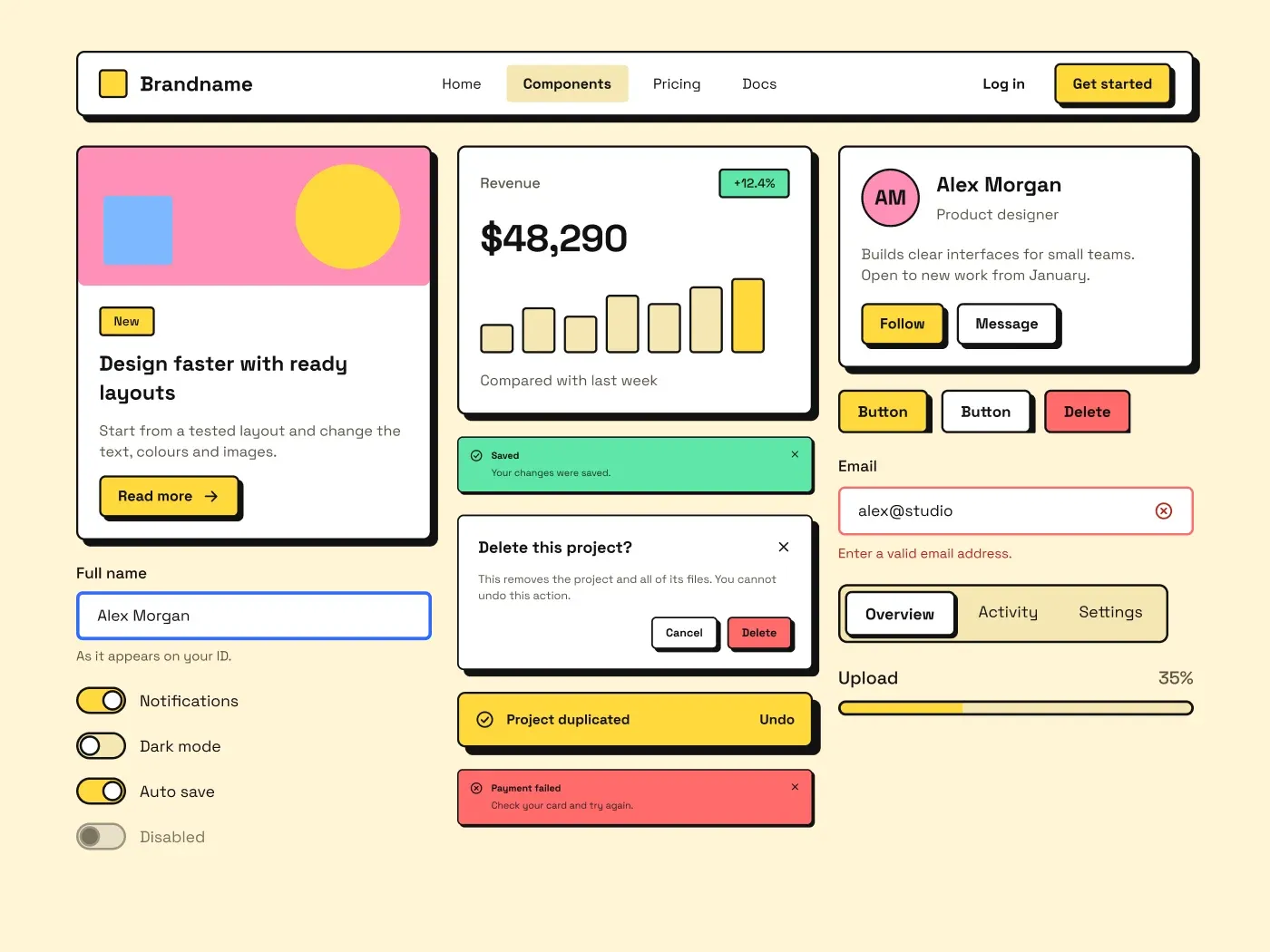
This neo brutalism ui kit gives you buttons, form fields, cards, alerts and navigation in a raw, high contrast style. Every part has a thick black border, a hard offset shadow and a flat saturated fill, so a screen built from it looks bold and clear.
What is included
- Buttons in four variants, five states and three sizes, with a hard shadow that grows on hover and drops away on press
- Text fields, textarea, select menu, checkbox, radio, toggle and slider with 2 px black outlines
- Content, stat and profile cards, four solid color alerts, a yellow toast, a modal and a tooltip
- Navbar, boxed and underline tabs, breadcrumb, pagination, avatars and an accordion
- A foundations block with eight color swatches and the Space Grotesk type scale
Where to use it
Use it for landing pages, indie products, portfolios and creative tools that should not look like every other app. It also suits event and community sites.
Design notes
The kit follows the usual neo brutalism rules: 2 px solid borders, a 4 px hard shadow with no blur, near square corners (6 to 8 px here) and flat colors. The palette is cream #FFF4D6 with yellow #FFD93D, pink #FF8FB8, blue #7DB8FF and green #5EE6A8. Black text sits on every bright fill, and all text pairs stay above 6 to 1 contrast.
Built for editing
Spacing sits on a 4 point grid and layers have clear names. Fonts are free on Google Fonts (Space Grotesk) and every color is a fill you can change in the fill panel. Text sizes stay at 12, 14, 16, 20 and 36 px, so the scale is easy to follow.
How to use it
Copy the kit with the copy button and paste it into Figma with Ctrl+V or Cmd+V. The layers keep their auto layout, so you can edit text, colors and spacing. Install the free Google Fonts first so the text looks the same.