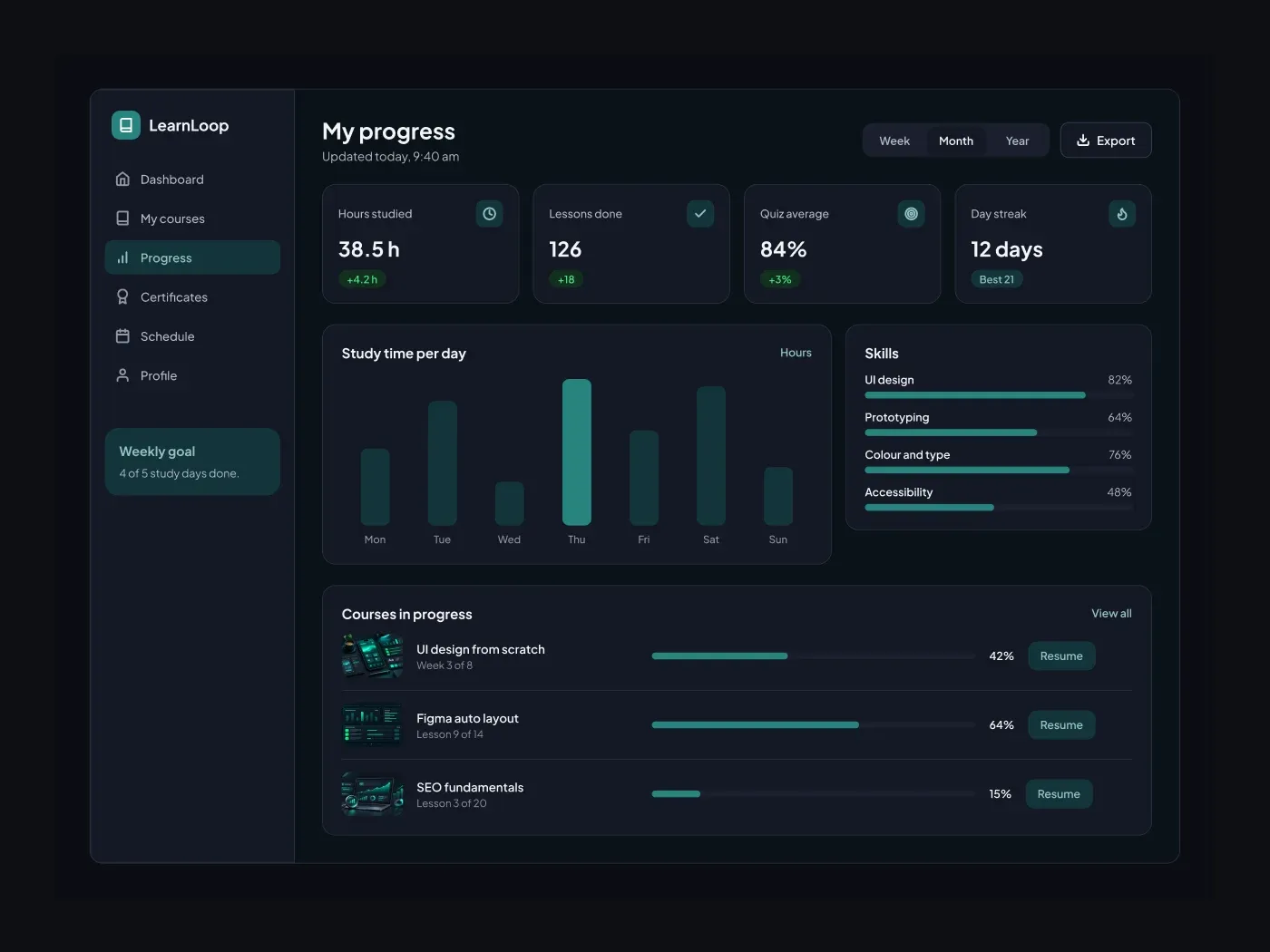
The dark version keeps every layer from the light one and changes only the colors. Show a learner how far they have come. The cards report hours studied, lessons done, quiz average and streak. Below them a chart and skill bars give the detail.
What is included
- A range switch for week, month and year
- Four stat cards with change badges
- A study time chart with the best day highlighted
- Skill bars with percent values
- Course rows with a progress bar and a resume button
Where to use it
Use it for a learner account page, a tutoring service or a school portal. Swap the skills and the courses.
How to use it
Copy the component with the copy button and paste it into Figma with Ctrl+V or Cmd+V. The layers keep their auto layout, so you can edit text, colors and spacing. The text uses Plus Jakarta Sans, a free font on Google Fonts. Install it first so the text looks the same.
Dark version
This listing is the dark version. The light version is listed separately, so you can pick the one that fits your project.