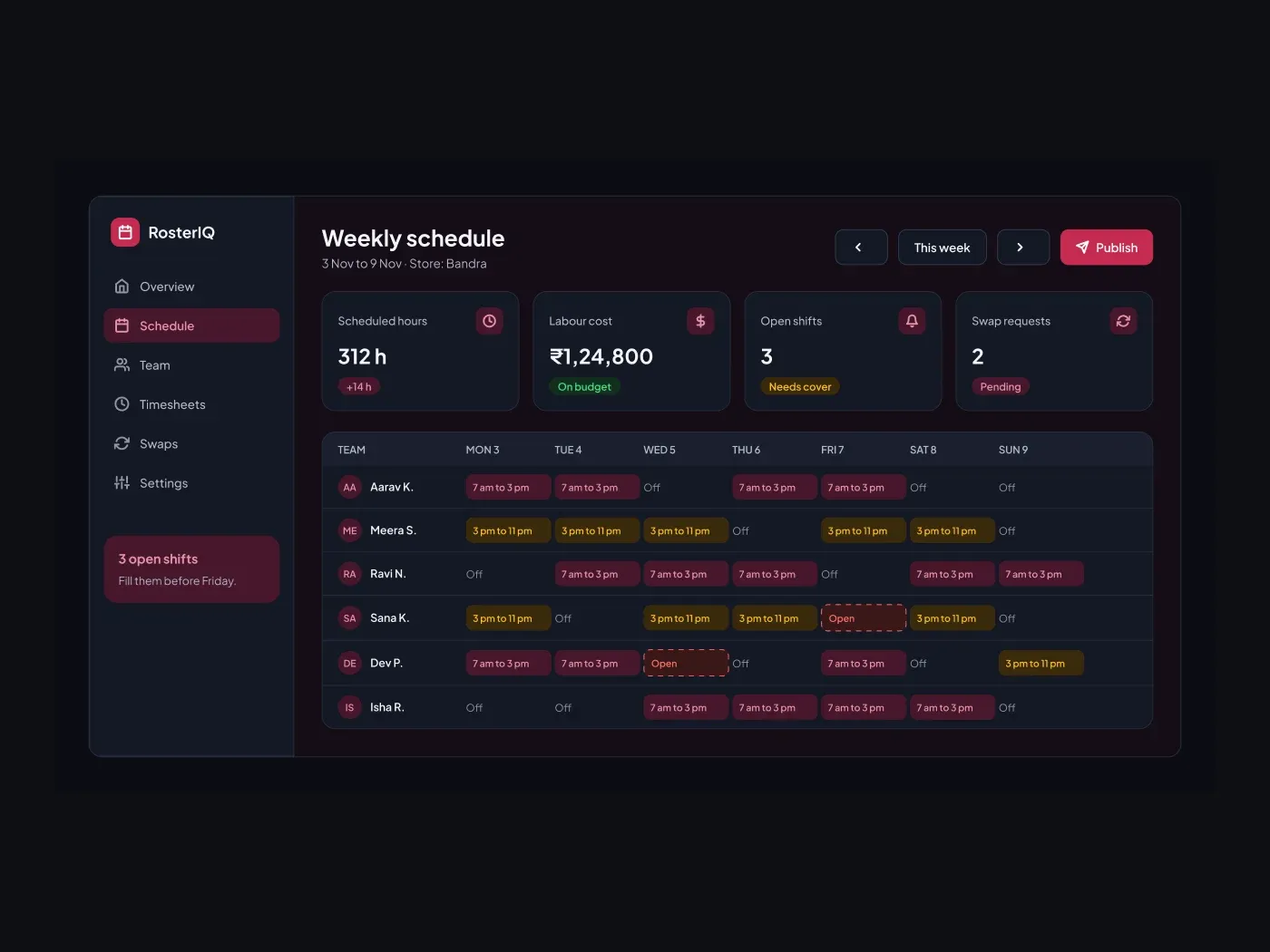
The dark version has a dim background and a bright accent, so buttons and badges still pop. Roster a team without spreadsheets. The grid shows who works which shift each day, and dashed cells mark open shifts that still need cover.
What is included
- A week switch and a publish button
- Four stat cards for hours, cost, open shifts and swaps
- A grid with six people and seven days
- Morning and evening shift chips in two colors
- Dashed open shift cells
Where to use it
Use it for a retail, restaurant or clinic scheduling tool. Rename the shifts and the people.
How to use it
Copy the component with the copy button and paste it into Figma with Ctrl+V or Cmd+V. The layers keep their auto layout, so you can edit text, colors and spacing. The text uses Plus Jakarta Sans, a free font on Google Fonts. Install it first so the text looks the same.
Dark version
This listing is the dark version. The light version is listed separately, so you can pick the one that fits your project.