How to use it in Figma, even if you have never used Figma
Four steps. You do not need to draw anything, and a free Figma account is enough (Pro components need a ProFigma Pro plan).
Fill
Export
- Press Copy to FigmaClick the button on this page. The design is copied, like text you copy with Ctrl + C.
- Paste it in FigmaOpen Figma, open any file and press Ctrl + V (Cmd + V on Mac). You get real, editable layers.
- Make it yoursDouble-click a text to type your own words. Click a shape and change its color under Fill. Drag your own photo onto an image box.
- Export itClick the design. In the right panel, scroll to Export, choose PNG, JPG, SVG or PDF, then click Export.
Tip: install the free Google Fonts used in the design (the name shows when you click a text) so the text looks the same on your computer.
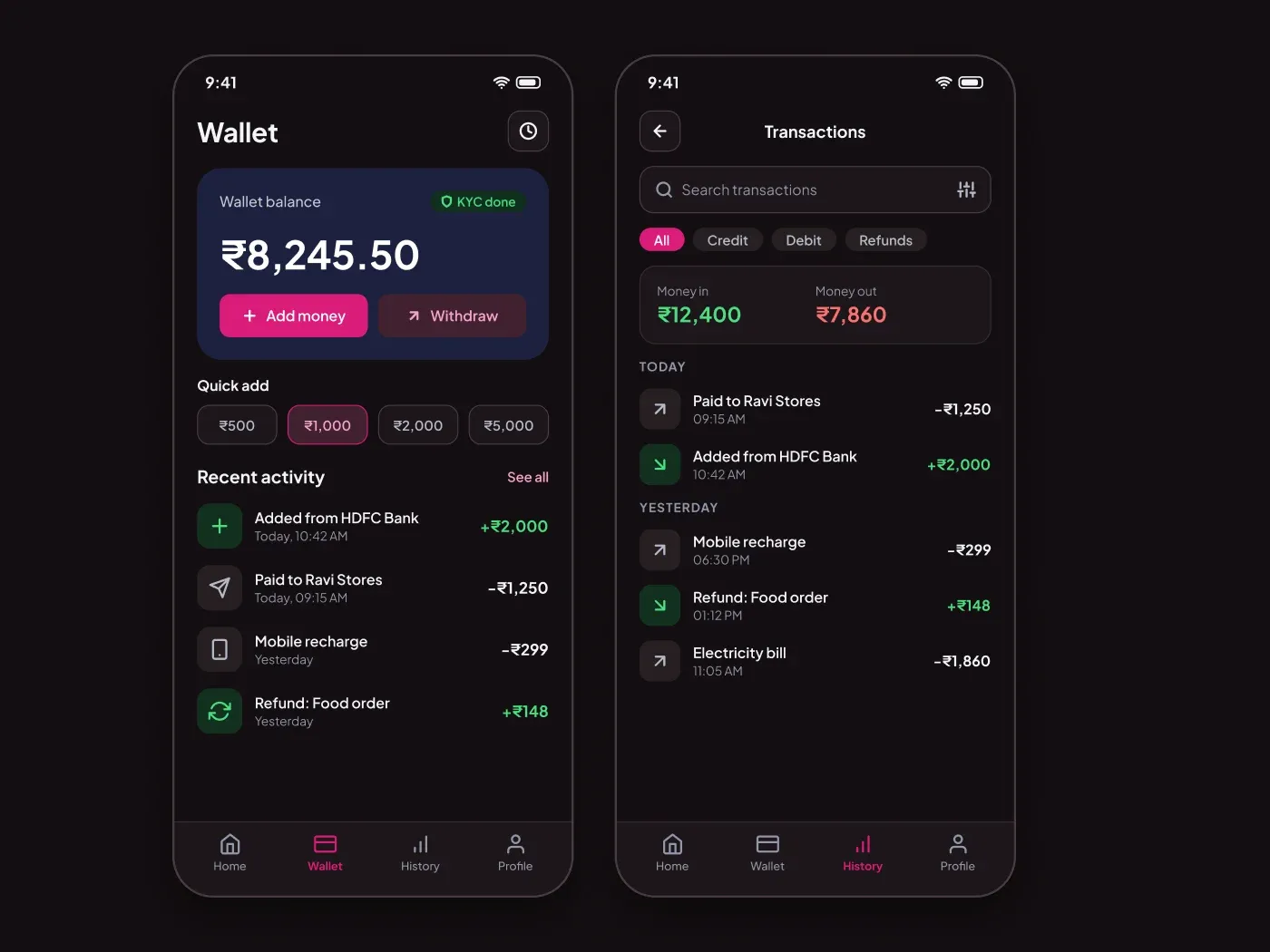
The dark wallet and transaction screens comes with a soft charcoal page and bright accents. Keep money simple to track. These wallet and transaction screens show the balance, quick top ups and every payment. The dark version keeps money in and out easy to tell apart.
What is included
- A wallet card with add money and withdraw
- Quick add amount chips
- A recent activity list
- A history screen with filters and totals
Where to use it
Use them for a payment app, a gift card app or a loyalty wallet. Replace the amounts.
Design notes
The balance card has a 24 px radius and a 38 px balance with Add money and Withdraw buttons. Quick add amounts are four chips with a 12 px radius. The history phone has a search field, four filter pills, a money in and money out summary, and rows grouped by day.
This dark version uses an accent of #da1b7a on a page of #130e11, with cards in #1d161a and a soft accent fill of #402130. The light version of this design is a separate listing: Premium Wallet and Transaction Screens UI for Figma.
Questions
How do I mark a pending payment?
Add a small gray Pending badge under the amount, and use the neutral icon tile color for the row.
Can I show a daily limit?
Add a small progress bar under the balance card with the used and the total limit, in the same 8 px style.
Is there a light version?
Yes. Premium Wallet and Transaction Screens UI for Figma has the same layout on a light page.
How to use it
Copy the component with the copy button and paste it into Figma with Ctrl+V or Cmd+V. The text uses Plus Jakarta Sans, which is free on Google Fonts.