How to use it in Figma, even if you have never used Figma
Four steps. You do not need to draw anything, and a free Figma account is enough.
Fill
Export
- Press Copy to FigmaClick the button on this page. The design is copied, like text you copy with Ctrl + C.
- Paste it in FigmaOpen Figma, open any file and press Ctrl + V (Cmd + V on Mac). You get real, editable layers.
- Make it yoursDouble-click a text to type your own words. Click a shape and change its color under Fill. Drag your own photo onto an image box.
- Export itClick the design. In the right panel, scroll to Export, choose PNG, JPG, SVG or PDF, then click Export.
Tip: install the free Google Fonts used in the design (the name shows when you click a text) so the text looks the same on your computer.
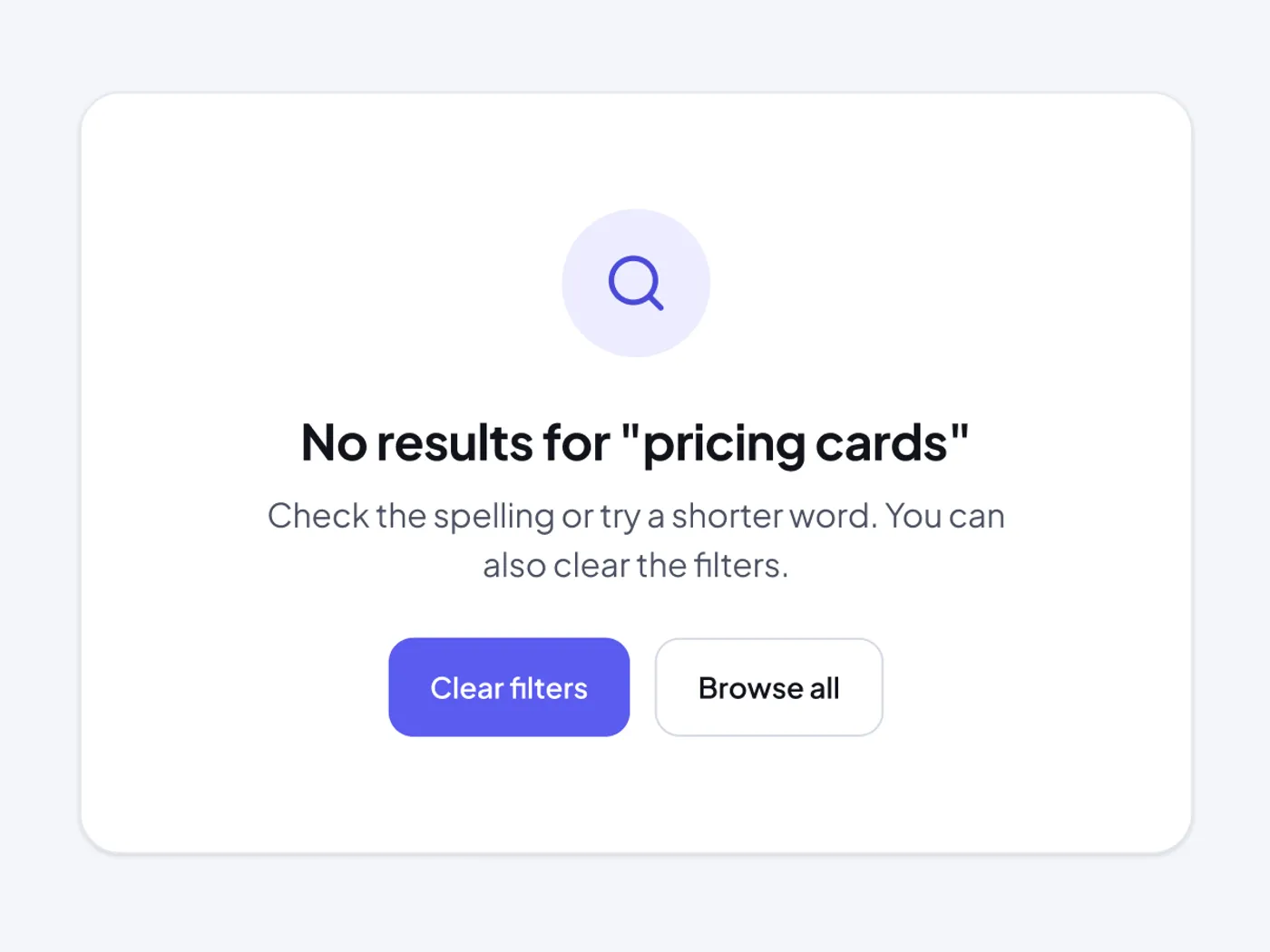
When a search finds nothing, say so and offer a next step. This card explains what to try and has two buttons.
What is included
- Search icon in a soft circle
- Title that repeats the search
- Short help text
- Clear filters and Browse all buttons
- Light and dark versions
Where to use it
Use it in search results, tables and filtered lists.
Design notes
The frame is 636 px wide and 466 px tall. The empty state has a search icon in a soft circle, a 24 px title that repeats the search, a short help text and two buttons: Clear filters and Browse all. It has 56 px padding.
Questions
How do I make the message more helpful?
Say what to try next, such as a shorter word or fewer filters, and keep a clear way out with the buttons.
Can I use it for a table?
Yes. Place it in the table body, and remove the card border if the table already has one.
How to use it
Copy this empty state no results with the copy button and paste it into Figma with Ctrl+V or Cmd+V. The copy has a Light and a Dark frame, so use the one that fits your project. The text uses Plus Jakarta Sans, which is free on Google Fonts.