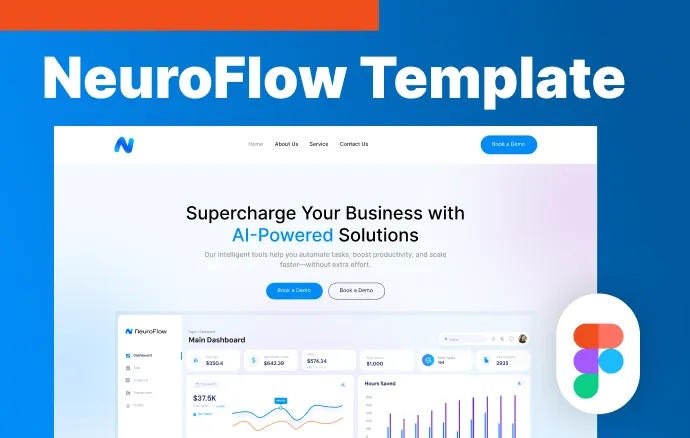
NeuroFlow Website Design Template
Made for Developer, business.
Download freeFree to download, no sign-up needed. See the copyright page for how you can use it.
The NeuroFlow website design template is a free set of corporate website pages in Figma and Photoshop. It suits business sites, software products and portfolios.
What you get
- Designed Home, About Us, Our Services and Contact Us pages.
- One colour palette and one type style used across every page.
- An editable Figma file (.fig) and a Photoshop file (.psd).
- A readme.txt file with font and image details.
- A hero section with a dashboard preview, plus a blue and white interface style.
Who it is for
Web designers and developers who need a clean starting point for a client site, small businesses planning a new website, and students who want to learn layout and colour balance from a finished design.
How to use it
- Download the files and open the .fig file in Figma, or the .psd file in Photoshop.
- Install the fonts listed in the readme file.
- Replace the sample text, logo and images with your own content.
- Change the colours and fonts in one place so every page stays consistent.
- Hand the finished pages to a developer, or use them as a design reference.
The pages are laid out as a starting structure for responsive work, so check each screen size before you build.
Cost and terms
The template is free to download. Terms are on the copyright information page.
Looking for a lighter option? Try the Foodie home page UI. You can also pull in ready-made sections from our navbar components or see all templates. Contact ProFigma if you get stuck.