How to use it in Figma, even if you have never used Figma
Four steps. You do not need to draw anything, and a free Figma account is enough (Pro components need a ProFigma Pro plan).
Fill
Export
- Press Copy to FigmaClick the button on this page. The design is copied, like text you copy with Ctrl + C.
- Paste it in FigmaOpen Figma, open any file and press Ctrl + V (Cmd + V on Mac). You get real, editable layers.
- Make it yoursDouble-click a text to type your own words. Click a shape and change its color under Fill. Drag your own photo onto an image box.
- Export itClick the design. In the right panel, scroll to Export, choose PNG, JPG, SVG or PDF, then click Export.
Tip: install the free Google Fonts used in the design (the name shows when you click a text) so the text looks the same on your computer.
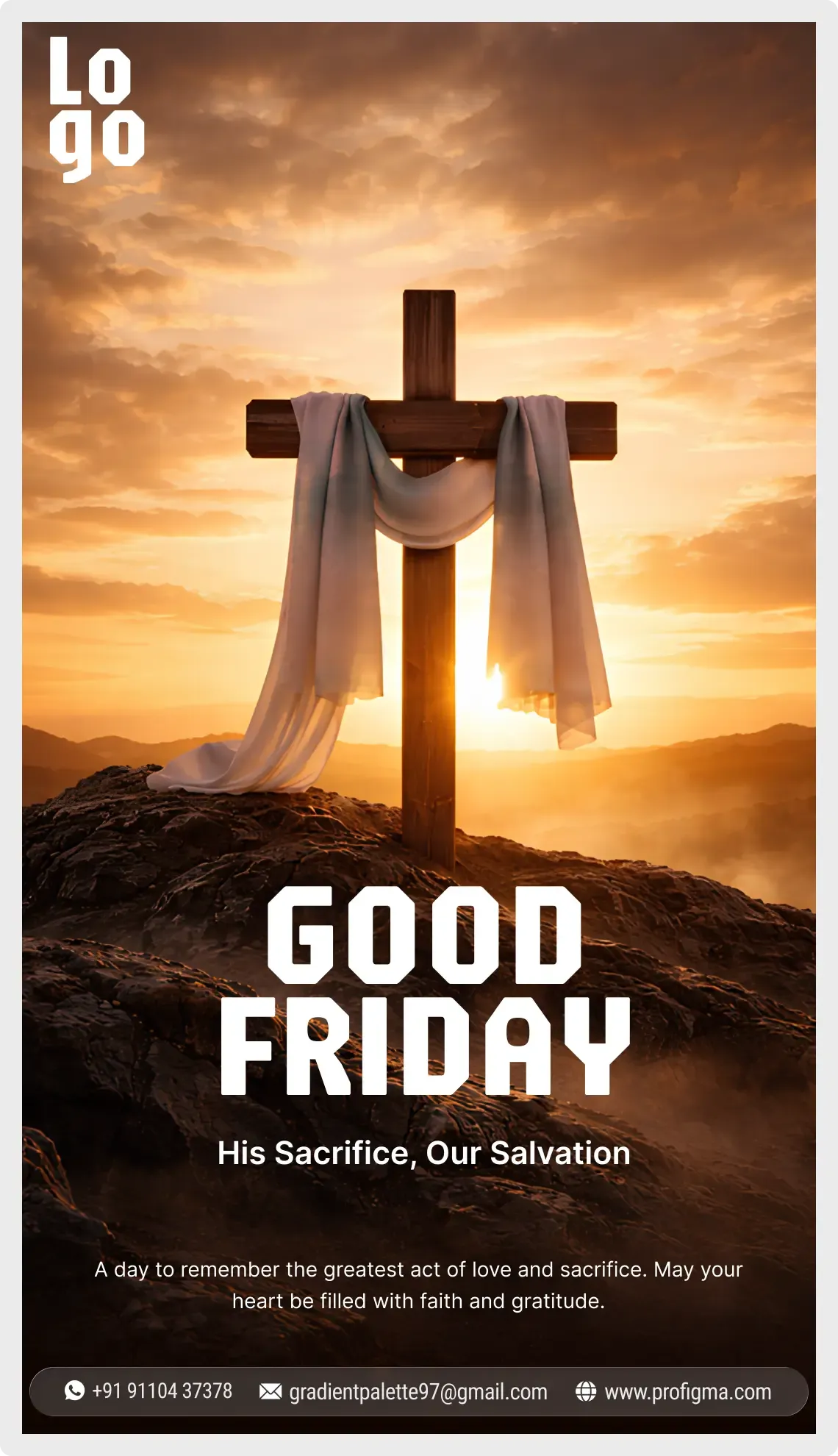
This Good Friday story template is a tall version of the cross-at-sunset design, made for Instagram and WhatsApp stories. It is included with Pro, with unlimited copies.
Stories reward simple layouts, because people tap through quickly. This tall design places the cross at the centre, the headline in the lower third and the message below it, so the order of reading is clear. The darkened rock at the bottom gives the white text a stable background. It is easy to adapt for a church, a school or a small business.
What you get
- A tall canvas with a large cross and cloth against an orange sky
- A white logo placeholder in the top left
- The headline "GOOD FRIDAY" in heavy block capitals with "His Sacrifice, Our Salvation" under it
- A short message in two lines near the bottom
- A rounded contact bar with phone, email and website
How to use it in Figma
Press the copy button, then paste into Figma with Ctrl or Cmd + V. Change the message and the contact line, add your logo and export the frame. Keep key text away from the very top and bottom, where story apps place their own buttons.
Best for
- Church and charity story posts
- Schools and local groups
- Anyone who wants a full-screen greeting that matches a feed post
Customisation tips
- Keep the contact bar if you need people to find you, or delete it for a cleaner look.
- Pair it with the square Good Friday poster so your feed and stories match.
- Explore other tall designs under Social Media Assets.