How to use it in Figma, even if you have never used Figma
Four steps. You do not need to draw anything, and a free Figma account is enough.
Fill
Export
- Press Copy to FigmaClick the button on this page. The design is copied, like text you copy with Ctrl + C.
- Paste it in FigmaOpen Figma, open any file and press Ctrl + V (Cmd + V on Mac). You get real, editable layers.
- Make it yoursDouble-click a text to type your own words. Click a shape and change its color under Fill. Drag your own photo onto an image box.
- Export itClick the design. In the right panel, scroll to Export, choose PNG, JPG, SVG or PDF, then click Export.
Tip: install the free Google Fonts used in the design (the name shows when you click a text) so the text looks the same on your computer.
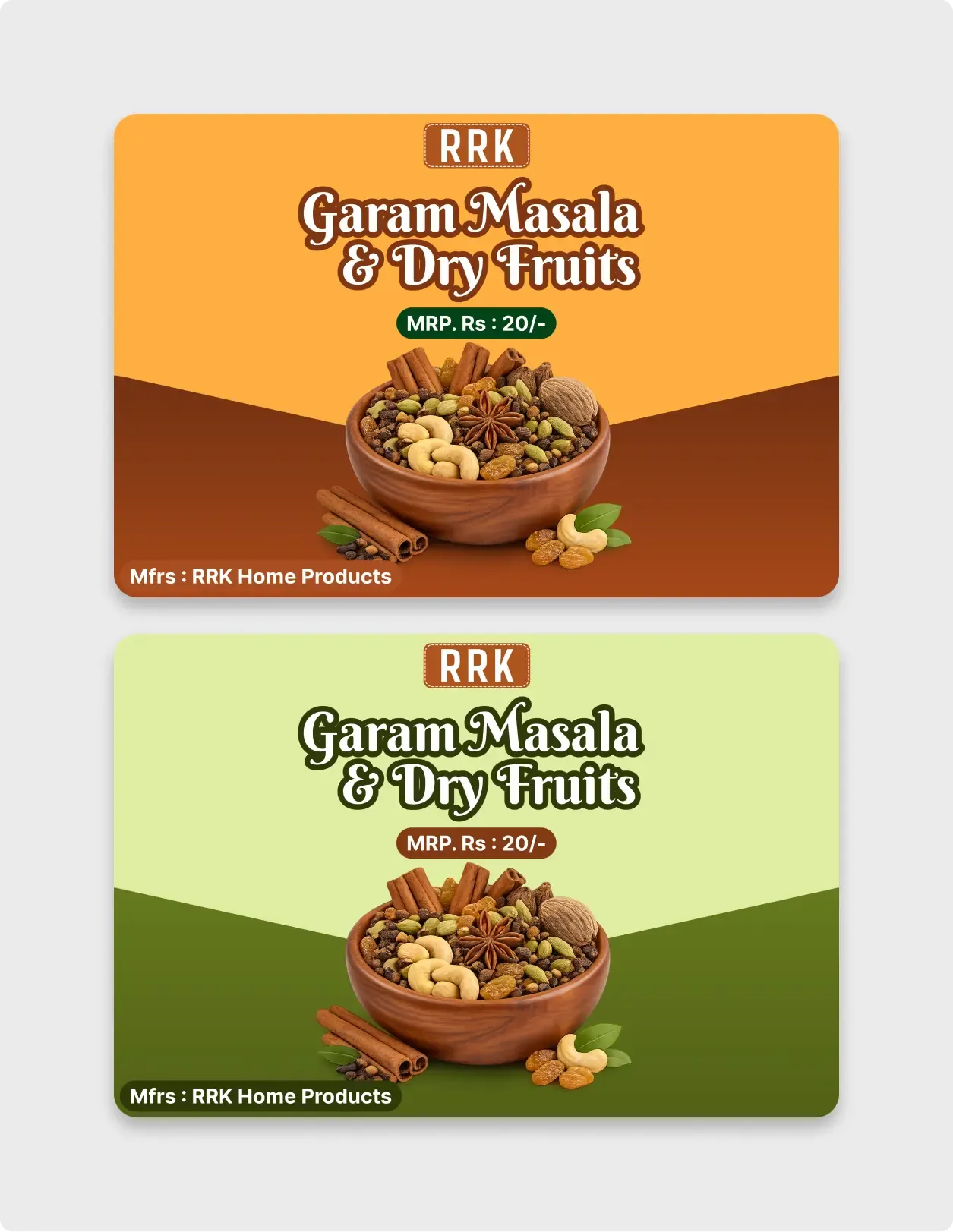
This spice packaging label template gives you two ready-made colourways for a garam masala and dry fruits product. One is saffron and brown, the other is leaf green.
Food labels need to be bright, simple and easy to read from a shelf. This design uses a large curly title, a clear price tag and a photo that shows what is inside. The two colourways let a small brand compare options or use one colour for each product in a range. The diagonal split gives the label a lively shape.
What you get
- Two label cards, one orange and brown and one light and dark green
- A brand badge at the top, a curly product name and a price tag pill
- A photo of a wooden bowl filled with spices, nuts and cinnamon
- A diagonal split between the top and bottom colours
- A maker line at the bottom left
How to use it in Figma
Click copy and paste into Figma with Ctrl or Cmd + V. Replace the brand badge and name, change the price and edit the maker line. Resize the frame to your pouch or label size and export it for your printer.
Best for
- Home food and spice brands
- Small packaging mockups
- Product pouch and sachet labels
- Designers pitching packaging ideas to local producers
Customisation tips
- Confirm the price and legal text with your printer and local rules before printing.
- Use a photo of your own product if you have one.
- Making a poster for the same product? See Posters and Flyers. Add a code for your website with the QR code generator.